
Identify Species with AI
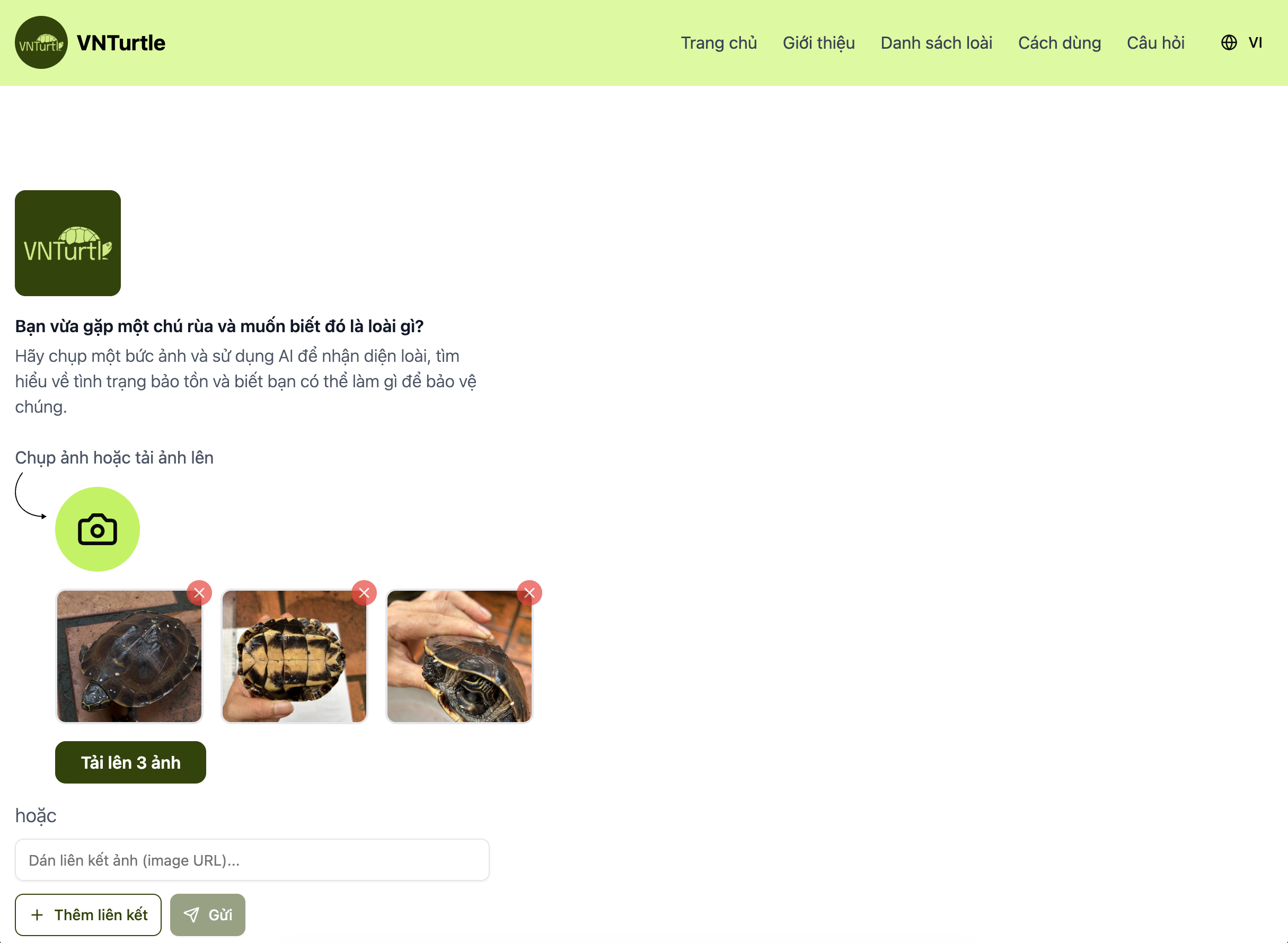
1. Upload Images
VNTurtle uses AI to identify turtles in images. There are two ways to provide images:
Method 1: Select the upload button and choose one or more clear photos of the turtle. Providing more images from different angles can improve identification accuracy.
Method 2: Use an image URL, such as an image from Facebook or a website. Right-click the image, select “Copy image URL,” and paste the URL into the input field.
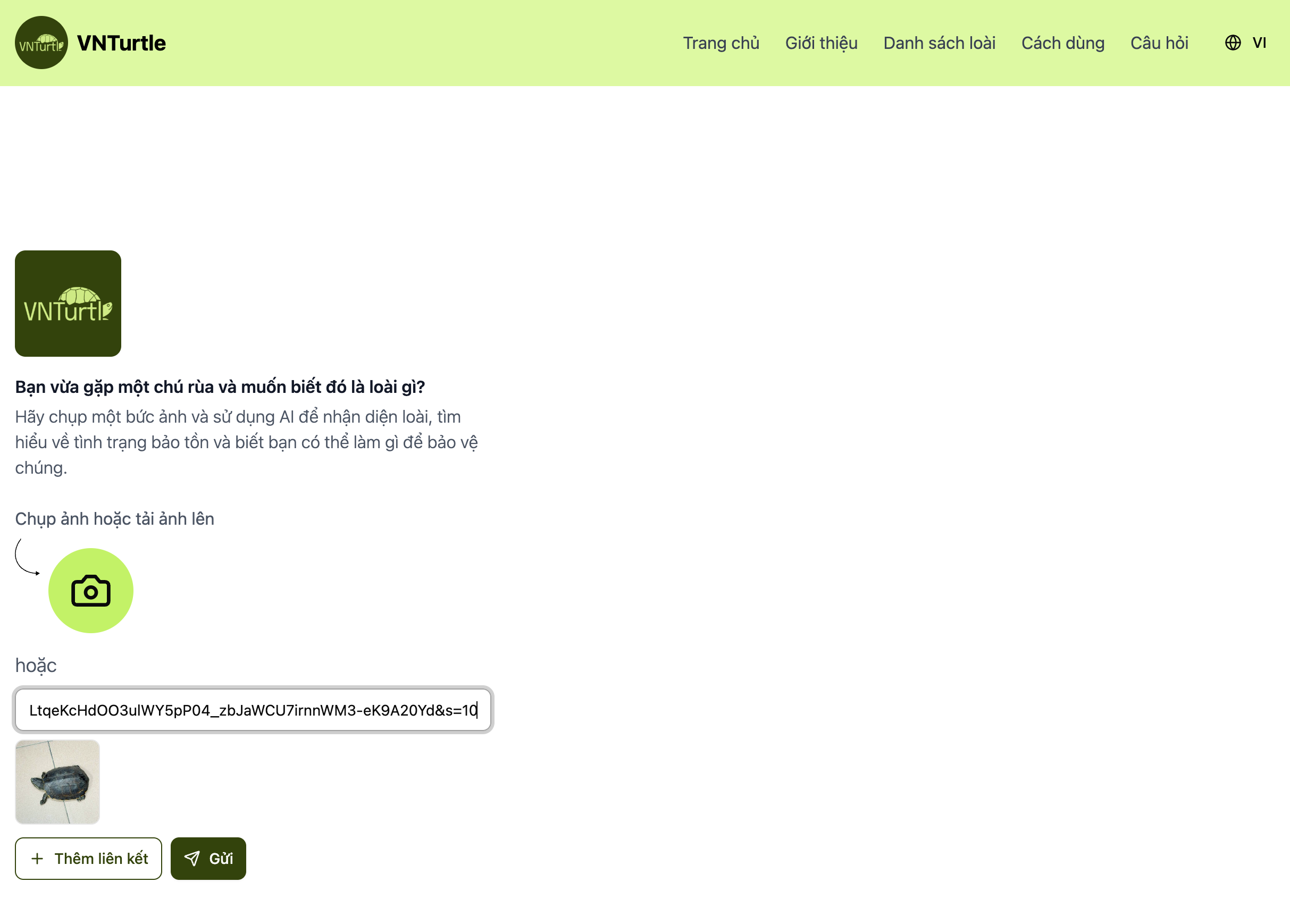
Important Notes
- Use images containing only 1 turtle
- Avoid images with multiple overlapping turtles
- Do not use photos of another screen – use the original images
Quick Tips for Best Results
- Use clear, well-lit photos
- Ensure the turtle is the main subject
- Submit photos of the turtle from multiple angles to improve identification accuracy
2. View Results
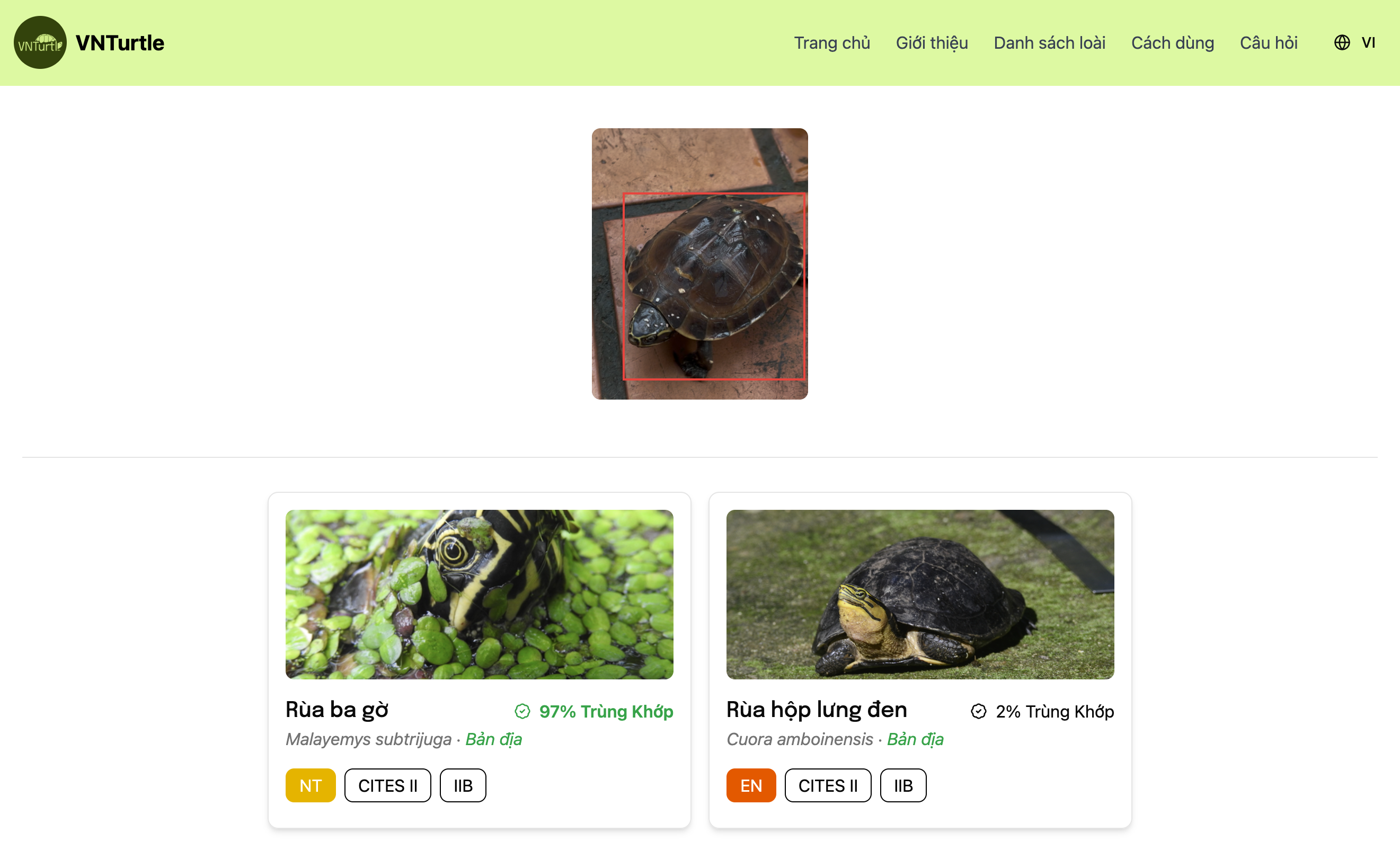
After a few seconds, the AI will locate the turtle in the photo and display prediction results with confidence scores. A confidence score shows how “confident” the AI is in each result and is expressed as a percentage (%). A higher score indicates a greater likelihood that the result is correct.
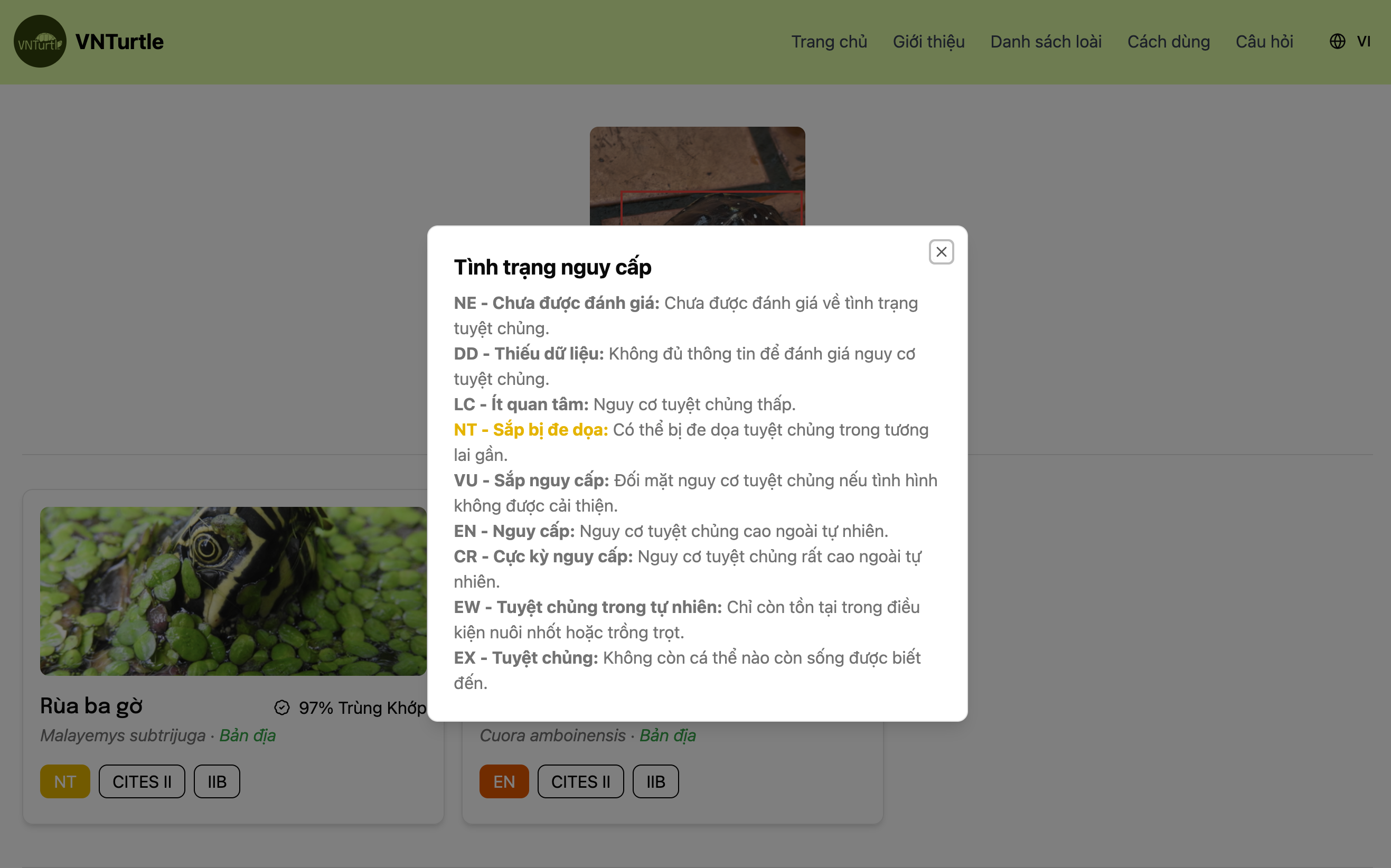
Each result also includes information such as whether the species is native, its IUCN conservation status, and its protection status under the law.
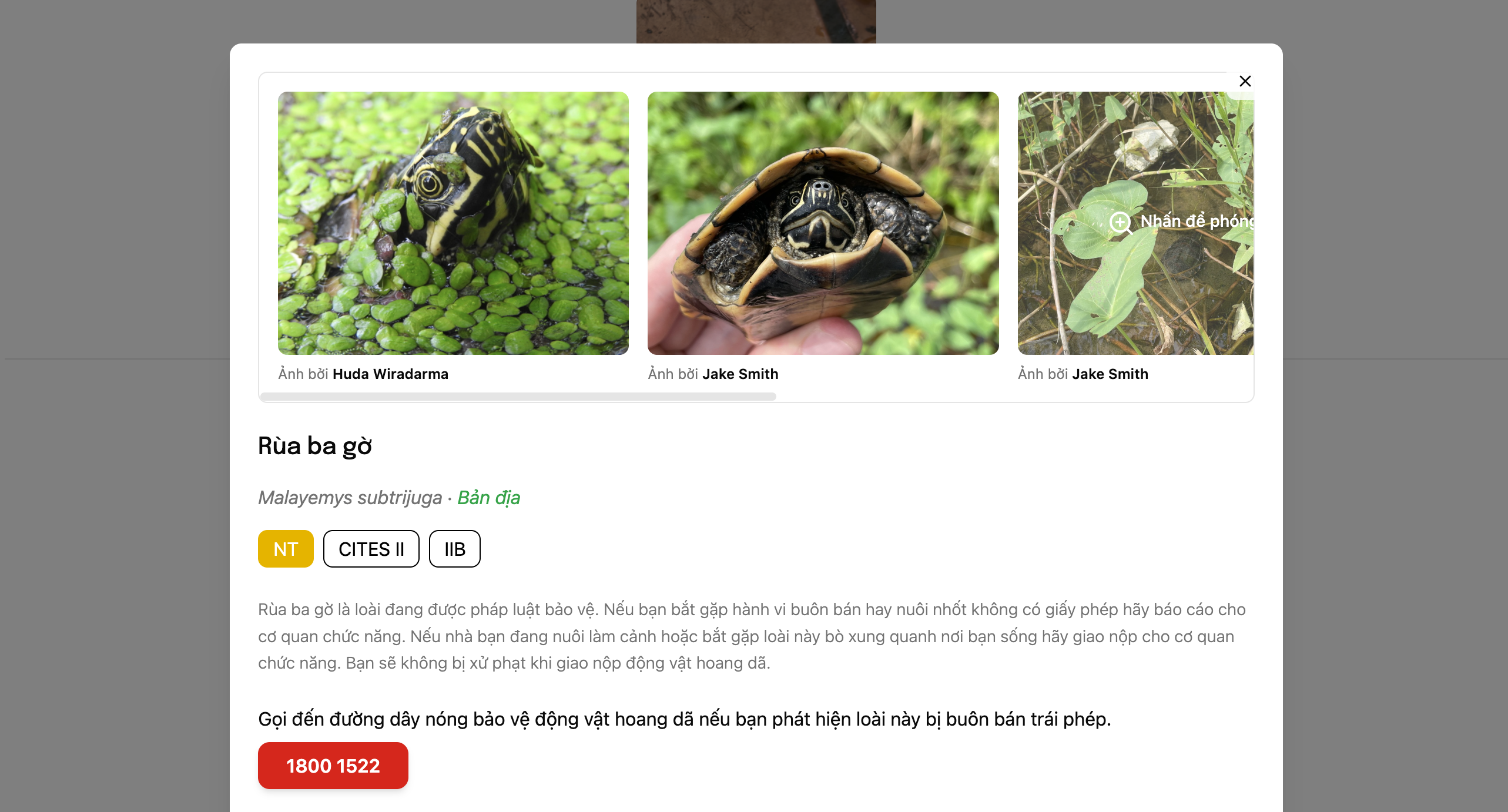
3. Check Characteristics
Select each identification result to view reference images and learn more about the species and its conservation status.
Species List
The species list includes every species supported by the AI identification system: 27 native tortoise and freshwater turtle species, 3 sea turtle species, and 15 non-native species commonly traded in Vietnam.
On this page, you can search and filter by name, law, or threat status. You can also select a species card to read more conservation information.
View the species listLanguage Switch
The app supports both English and Vietnamese. You can switch languages at any time using the language selector in the navigation bar.